About Chapter 8 – Originality is Overrated

Originality Is Dead
Image from Rex Lauridsen from Flickr

I do not doubt you have good ideas but sometimes some other people also have them. Why don’t you give them a try?

When it comes to software development, innovation is a core concept. Especially when you are competing with many other programmers and you want to show that you are the best and you deserve that dream job. After you know the basics of a programming language you want to start creating things very fast. You deploy your firsts applications but you don’t take care about scalability and good programming principles. You may think, «I will never use it, that is old fashioned, I can do it faster».

You may be right but then the problems come. It is true that you can develop amazing apps with spaghetti code but maybe that app won’t be able to scale properly or maybe no other engineer will understand how it is supposed to be working. That’s why you need some programming principles to follow. Don’t think about originality. You didn’t create them but you are going to use them because they will help you to write great code.

Of course these principles are Object Oriented based (our entire course is about OO). Here you have a few of the principles:

  1. Open Close Principle (OCP). Classes should be open for extension and closed for modification
  2. Don’t Repeat Yourself (DRY). Avoid duplicate code by abstracting things that are common
  3. Single Responsibility Principle (SRP). Every object should have one single responsibility
  4. Liskov Substitution Principle (LSP): Subtypes must be substitutable for their main types.

For the first one the main idea is that you think about inheritance and never try to destroy the actual behavior of a class. The second one, DRY, is quite clear because it saves time and make your code cleaner. Regarding the third principle, it leads to another programming truth: each of your objects should have only one reason to change.

LSP has an exotic meaning (who is Liskov?) but in general terms it says that you should use delegation instead of inheritance when you want to use some functionality on another class but you don’t want to change that functionality. Some other times the answer will be to use composition, it’s hard to define and only with practice you will acquire the expertise.

Also, we had covered some other basic principles that are easier to understand but very powerful in practice:

  1. Encapsulate what varies
  2. Code to an interface rather to an implementation
  3. Each class in your application should have only one reason to change
  4. Classes are about behavior and functionality

Remember, the objective is to make your programs maintainable, flexible and extensible. Use the tools you have.

Here is a video that explain the principles in a clear way:

SOLID Principles

References:

Head First Object-Oriented Analysis and Design: A Brain Friendly Guide to OOA&D. A McLaughlin, B, A Pollice, G, A West, D. 2007. O’Reilly Media, Incorporated.

About Chapter 10 – Putting it all together

puzzled
Image from rlonas from Flickr

It’s been a long road and now it is time to summarize some of the things that we have learned during these months.

One common thought that comes to mind after reviewing the topics is that we are not ready to create software because we have put so much time and effort in diagrams, lists of requirements and relationships but not actual code.

The purpose of doing such diagrams and analysis is to explain to you a single process that you can use over and over again to write great software.

Do you remember still remember what design is? The types of testing? Some programming practices? The truth is that is not enough to memorize concepts. You need to face real problems and then move in the right direction when you are trying to develop a solution.

Let’s summarize some of the key topics that may come in handy for you

Three steps to get great software

  1. Make sure that your software does what the customer wants it to do
  2. Apply basic OO principles and flexibility and
  3. Strive for a maintainable, reusable design

Some OO principles:

  1. Encapsulate what varies
  2. Code to an interface rather to an implementation
  3. Each class in your application should have only one reason to change
  4. Classes are about behavior and functionality

Development Approaches

  1. Use case Driven dDevelopment
  2. Feature Driven Development
  3. Test Driven Development

Also keep in mind all about the agile methodology and culture. Test correctly and move fast. I hope you the best.

Bonus: here is a video that shows the SDLC. It’s basic but is always good to remember.

SDLC

References:

Head First Object-Oriented Analysis and Design: A Brain Friendly Guide to OOA&D. A McLaughlin, B, A Pollice, G, A West, D. 2007. O’Reilly Media, Incorporated.

Mastery 12 – Testing in Object Oriented Programming

meme from me.me

During the lasts posts you have heard a lot about testing and object oriented so it is time to see both words on a single entry.

You know that OOP is the king right know because with it things are very easy to develop and the popularity of it led to the creation of many frameworks that may help you ease the work. Also, it is closely related to the agile movement because it allows developers to change the code fast.

There are some characteristics of OO that helps the development process:

  • State dependent behavior
  • Encapsulation
  • Inheritance
  • Polymorphism
  • Exception handling
  • Abstract and generic classes

It is great to the development process but it is a pain for the testing process because there are a lot of things to check. Let’s start:

We have unit testing for single classes and integration testing for inter-class relationships. Each class may have some methods and methods
are usually tested in the context of the class they belong to.

A common representation of OOP is using a Finite State Machine (maybe you remember it from your classes of theory of computation, FSM). Well, the cool thing here is that with this representation states correspond to certain values of the attributes and transitions correspond to methods. This way, a FSM is fundamental for testing in OOP. Test cases are sequences of method calls that traverse the state machine.

Also you can have a stack to store the state (i.e. the things that you have done before, e.g. the number of times you have pressed a button).

Now that we have defined the representation as a FSM, you can focus on the following: write test cases that covers all the states, transitions and paths in your graph. Each valid transition should be tested and each invalid transition should be tested to ensure that it is rejected and the state does not change.

Of course the problem becomes very complex and there are a lot more of topics to cover, for example, how to handle inheritance. Fortunately, there is plenty of theory and papers about it. Find some of them in the references.

This video shows how to implement some testing in a simple OO project and it shows the advantages of it:

References:

http://ecomputernotes.com/software-engineering/object-oriented-testing

Haz clic para acceder a Testing_5_OO.pdf

Mastery 11 – Verification and Validation

Resultado de imagen para testing software memes
Image from Snighda from Pinterest

In the tech world you will these words a lot of times: verification and validation of code. The meaning is quite simple but there are some practices and standards that you should know if you want to become a software developer.

Validation asks wether the software does the right thing and verification asks wether the software does the thing right. Did you get it? I’ll explain it better.

When you try to solve a problem you need to check that it works properly from the verification point of view and from the validation point of view.

The verifying process includes checking documents, design, code, and program, whereas validation is a dynamic mechanism of Software testing and validates the actual product.

In the validation process (do the right thing) the execution of the code is involved, the target is the actual product and it uses methods like Black Box Testing, White Box Testing and non-functional testing.

On the other hand, in the verification process (do the thing right) the execution of the code is not involved and it uses methods such as reviews, walkthroughs and inspections. Here the target is the application and software architecture, the specifications, a complete design, etc.

Here is a video that explains the topics covered here. I liked the way it explains the usages and differences.

References:

http://softwaretestingfundamentals.com/verification-vs-validation/

https://www.guru99.com/verification-v-s-validation-in-a-software-testing.html

https://www.toolsqa.com/software-testing/difference-between-verification-and-validation/

Mastery 14 – OO and Agile

Agile
Agile. Image from Yves from Flickr

We have been heard this two words before: Agile and Object Oriented. Here I will try to explain the relationship between these concepts. If you search for it on the internet then you can see that the Object Oriented Movement started in the second half of the past century and it became popular with C++ and Java. The new vision of seeing everything as abject changed the way we develop code.

On the other hand, the agile movement is something that started at the end of the final century and have become a canon in startups and new tech companies that look to innovate.Here is a little of history about the Agile movement, you can Google them for further details:

  • Lean Movement and Toyota Production System (TPS), 1980
  • Agile Manifest, 2001
  • Continuous Delivery movement, 2006
  • Agile Infrastructure, 2008
  • Velocity Movement, 2009

The Agile Development attacks the processes and approaches that we use when we face a problem and its principles can greatly improve the productivity of a development team.

Both OO and Agile can easily be misused. Many people think they are doing OO just because they use C++. And in Agile, just because your team has a daily stand up, it doesn’t mean you’re getting all you can out of it.

Another relationship between the to concepts comes when we think about Scrum, for example. You have sprints and a lot of ceremonies intended to deliver fast in your company, but a domain-based organization is an essential element of agility, because it’s the domain-level things that change with every story. If the domain and the system architecture are not good enough, even trivial changes will be unnecessarily difficult. That’s why OO is often seen as a requisite to Agile.

If you want to hear a talk about Agile and Object Oriented then you should check out this video:

Cool talk

References:

http://www.drdobbs.com/architecture-and-design/oo-as-a-prerequisite-to-agile/240164883

http://www.walterbodwell.com/drupal/node/7

https://www.scrum.org/forum/scrum-forum/29198/agile-object-oriented-analysis-design

Mastery 13 – About Test Driven Development

Image from sudipbhandari

A painful thing for all the newbies in programming is that when they got their first job they need to create tests for everything. At first it looks like nonsense but then you get accustomed to it (Sad but true).

Well, there is a reason behind it and it may be that your company is trying to implement a Test Driven Development approach. It is an approach to development which combines test-first development where you write a test before you write just enough production code to fulfill that test and also refactoring.

TDD instructs developers to write new code only if an automated test has failed. This avoids duplication of code and the primary goal of TDD is to make the code clearer, simple and bug-free.

Here is the diagram of the development cycle using TDD:

Image from Wikipedia, The Free Encyclopedia

There are two rules in TDD, I retrieve it from here:

– Write only enough of a unit test to fail.

– Write only enough production code to make the failing unit test pass.

If you want to dig more into testing development you can be happy because there are plenty of frameworks and libraries for that in almost every language.

If you are a Javascript lover then you can use Jest, which is a «delightful JavaScript Testing Framework with a focus on simplicity» and it integrates well with «BabelTypeScriptNodeReactAngularVue and more!» (this is not a commercial).

Now if you like another language such as Ruby then you can use the Minitest suite. It has a lot of testing facilities that are been using all over the world.

The cool thing about these options is that they provide tools such as test coverage and a lot of metrics to really apply test driven development in your software projects.

Here is a video that explain the concept very well.

TDD

References:

http://agiledata.org/essays/tdd.html

https://medium.freecodecamp.org/test-driven-development-what-it-is-and-what-it-is-not-41fa6bca02a2?gi=a7ea9b294073

https://www.guru99.com/test-driven-development.html

Mastery 10 – About Code Revision

Image from MemeGenerator

There is a hidden process in software companies called Code Revision and it is part of the software development cycle. I have been working with it for almost a year and I think I can tell you about it.

How does it work?

The code revision process is attached to the version control system. Some months ago I wrote a post about it and you can find it here. There are many version control system and the most common one is Git but there are more over there, for example, Facebook uses an enhanced version of a system called Mercurial for its version control, and Google has its own system that they created only for that purpose.

In a few words, you write your code over existing code and sent that new code to another branch that is more relevant for the product that you are making. With each atomic and substantial change of lines you can create a commit and send this commit to revision. For example, you may be working on your local branch and when you think that you have finished the task, you send it to a principal branch that may be another development environment, or even to the production environment if you are brave enough (see Trunk Based Development for more info about it ).

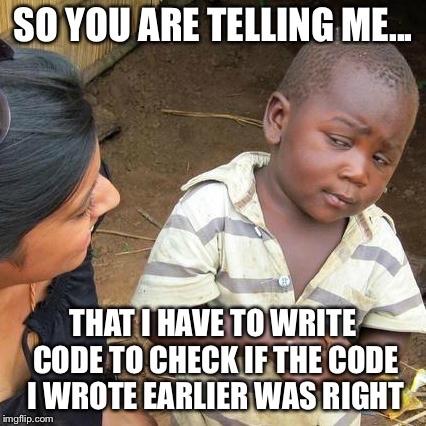
The issue here is that how can you know that the code you wrote is actually right. The answer is: you need to ask other people to see your code and give you an opinion and maybe approve your code.

The way it works is using differentials, aka diffs. A diff is a way to express the changes that were made to a bunch of documents. There are tools that allow you to see the changes with different colors and in an easy way.

In my personal experience, in the company I work, each time I create a differential it must be approved by at least two developers and in most cases one of them must have some kind of seniority (we call them Blessed Reviewers).

How can I implement Code Revision in my projects?

You can use open source solutions for that. My favorite is one called Phabricator, it is much more powerful and can help you manage most of the software development process. It is the one that I have been using and I love it because it is open source. Here is an image of how does it look:

And here is a video of how does a diff look like:

References:

Phabricator

Git flow

About Chapter 9 – The Software is Still for the Customer

CLIENTE
Image from Pierina from Flickr

After covering the main topic of software development analysis and design you may still wondering where is the full application, where is the program that the client asked. This is what the Chapter 9 is all about. It is a reminder that the main focus of the software development is to create great software, not to create great diagrams and schedules.

However, the processes that we covered in the past blog entries are fundamental because now we understand how the processes work. Once you understand the software development process the only thing you need to do is iterate until you get the final software.

To clear the last paragraph, you need to understand that great code is composed of small pieces (Divide and Conquer philosophy). And to progress in the development of the small pieces you need to iterate. You work on the big picture and then iterate over pieces of the app until it’s complete.

Now, there is a decision that you need to take before start iterating. You need to choose the way you will do it. It may be based on features or it may be based on use cases. Now I will explain what I mean with this.

Feature Driven Development

With this approach you take one piece of functionality that the customer wants and you work on that until it is finished. You plan, analyze and develop that feature until you complete it. When you are done, you continue with the next feature

Use case driven development

On the other hand, use case driven development is when you focus on a specific flow within the application and you complete the path (use case) from the start to the end. You choose and scenario and write code to support that complete scenario. When you are done, you choose another scenario and continue with that (this is the iteration process).

We can notice that the development based on features is more granular and the one based on use cases is more about seeing the big picture. Feature Driven Development works well when you need a lot of features to implement and Use Case Development works well when you have a lot of processes and scenarios involved.

Another topic related to it is that you also need to focus on the test process. This is basic. You should test your software for every possible usage and catch all the errors early. For this, there are two practices: agree with the one that will use your software about the correct usage of it (programming by contract) or don’t true the software and check all the possible sources of errors (defensive programming).

To better understand this topics I found the following videos and they are great at explaining the differences of the processes.

References:

Head First Object-Oriented Analysis and Design: A Brain Friendly Guide to OOA&D. A McLaughlin, B, A Pollice, G, A West, D. 2007. O’Reilly Media, Incorporated.

About Chapter 5 – Flexible

Feeling groovy today?
Image from Flickr

This was a large topic that was separated in two chapters: flexibility. In essence, it is all about making changes in your software to respond to customer’s needs. And for this to happen you need a good design.

The chapter covers several topics: UML, interfaces and OO principles. I have written about the first two in pasts posts so you can just check those posts. But now I will write about what I found interesting regarding the OO principles and design.

As the book reads, one of the best ways to see if software is well designed is to try to change it. If it’s hard to change then maybe you can do something to improve the design. This is very important to take into account at the moment of the design, prior to the programming part. In the text, the design is seen as something interactive. At a point that you need to change your own designs until the point that it is useful.

Digging more into abstract classes, they are placeholders for actual implementation classes. The abstract class defines behavior and the subclasses implement that behavior. Whenever you find a common behavior in two places, look to abstract that behavior into a class and reuse that behavior in common classes.

Another good principle is to make classes independent. This is, each class must have only one reason to change. This concept is repeated several times in the text and I think it has a reason to be.

The most interesting principle from the text is «Coding to an interface rather to an implementation». In essence, it makes your software easier to extend. This way your code will work with all the interfaces subclasses, even those that have not been created yet. There’s a video about it at the end of the post in case you want to watch it.

Continuing with the principle that a class must have only one reason to change, there’s more about classes and is something that we can measure: cohesion. A class is cohesive if it does something really well and doesn’t try to do or be something else. If one class is doing all sort of things that are not closely related then it has low cohesion. On the other hand, if each class does few things grouped together then they are highly cohesive.

A final thought is that you have finished your job when the software does what is supposed to do. You don’t need overwork. Code and do it until it is good enough for your client.

Code to an interface rather to an implementation

About Chapter 4. The Real World

Inner City Visions
Image from Flickr

The real world is intimidating. Especially when you are working for a client and your payment depends on the quality of your job. The main difference while creating code during college and in a job is that in a job your code will be tested over and over again for your customer and all the users involved. If for some little reason the behavior is not as expected, you will have to work again (probably for free). Also, in the real world there are many competitors offering other solutions to your client and you have to demonstrate that what you offer is the best option.

This chapter was like an advice for what is coming to us in the future. In the perfect world everyone uses our software just like we expect them to. Unfortunately this is not true in real life.

That’s why this chapter teach us about the required analysis in a software project. What is analysis? It is what you do before coding in a project. It tries to answer the What are you doing and this way you can be sure that your system works in a real world context. It is figuring out potential problems and then solve them before releasing your app.

Some key points that were given are the following:

  • Identify the problems and then plan a solution. This is clear and for some reason not all of us follow this instruction. The main reason is that we are not able to see the cause of the problem. A cool trick that may help you is to use the 5 whys method, you can find a video about it at the bottom of this post
  • Use cases are really important. Don’t forget it. They must be clear enough to you, your boss and your customers. Clear to anyone.
  • Textual analysis is quick and easy way to figure out the classes for your project

Regarding the last point, here is what I think:

Most times, when you are preparing the UML diagrams, you need to get an idea of which classes and methods you need. A common approach is to do what is known as a «noun analysis». This is when you look at the use cases very carefully and identify all the nouns involved. For example, you may see the words «car», «door», «dog», «bark», etc. At first, you may think that you need to create a class for every noun involved but calm down, this is just a first approach, maybe after some consideration you end up with only two or three classes. The important point here is that you need to considerate the nouns in the use case and don’t start coding without having analyzed the situation.

Another technique (that is very similar to the previous one) is to look for verbs when you are creating methods. That makes sense because methods are procedures that are performed by the objects.

In conclusion, the chapter provided some tools and advices that may result important in our career as software developers.

The 5 Whys Method

References:

Head First Object-Oriented Analysis and Design: A Brain Friendly Guide to OOA&D. A McLaughlin, B, A Pollice, G, A West, D. 2007. O’Reilly Media, Incorporated.
5 Whys

Textual analysis